Real estate runs on speed and consistency.
Leads don’t wait. Sellers don’t wait. Buyers don’t wait.
If you don’t respond quickly or follow up consistently, someone else will. It’s that simple.
Why Real Estate Agents Need a CRM
A CRM fixes three core problems agents deal with every day:
1. Follow-up gaps.
Most deals aren’t lost because the agent isn’t capable. They’re lost because follow-up stops after the first contact. A CRM makes sure every lead gets multiple touches automatically — texts, emails, reminders — without you having to remember.
2. Disorganized lead sources.
Leads come from everywhere: ads, website forms, referrals, open houses. Without a system, they live in different places. A CRM pulls everything into one pipeline so you can actually see what’s active, what’s cold, and what needs attention.
3. Wasted admin time.
Manual texting, scheduling back and forth, sending the same emails over and over — it eats your day. Automation handles repetitive communication so your time goes to appointments and negotiations, not admin.
A CRM isn’t about being “techy.”
It’s about protecting your pipeline and making sure opportunities don’t slip through the cracks.
Why Real Estate Agents Choose HighLevel
Most CRMs store contacts.
HighLevel is built to run the business.
Here’s why that matters.
Everything is in one place.
Instead of using one tool for email, one for texting, one for funnels, and another for scheduling, it’s all inside one system. Fewer logins, fewer integrations. Fewer things breaking.
Automatic lead response.
When a new lead comes in, speed matters. HighLevel can instantly text, email, or call the lead so you’re first in line — even if you’re in a showing.
Clear pipeline visibility.
You can see exactly where every lead sits — new, contacted, appointment set, under contract, closed. No guessing. No mental tracking.
Built-in marketing automation.
You can set up long-term nurture campaigns so leads who aren’t ready today still hear from you months later. That’s where a lot of hidden deals come from.
Scales with you.
Whether you’re solo or building a team, you don’t outgrow the system. You can add users, accounts, and processes without rebuilding everything later.
At the end of the day, agents choose HighLevel because it replaces multiple tools and removes friction.
Less chaos.
More consistency.
More closed deals.
How to Use GoHighLevel for Real Estate (The Smart Way)
If you’re in real estate and considering GoHighLevel, the most important decision you’ll make at the beginning is choosing the right sub-account setup. Everything else builds from there.
Inside the platform, real estate businesses operate through what are called “snapshots.” Think of a snapshot as a pre-built system tailored to a specific type of real estate business. Instead of creating every funnel, workflow, and template from scratch, you start with a structured foundation that already fits your business model. From there, you customize it to match your branding and strategy.
GoHighLevel offers three main real estate snapshots: real estate agent, property investor, and property management. The right choice depends entirely on how your business operates.
Let’s break them down.
If You’re a Real Estate Agent
Agents, brokers, and realtors typically use the real estate agent snapshot.

This setup focuses on generating buyer and seller leads and nurturing them until they’re ready to move forward.
At its core, this snapshot helps you:
-
Capture leads
-
Automate follow-ups
-
Convert prospects into clients
-
Showcase properties through funnels and websites
For example, imagine someone visits your funnel and requests a home valuation. As soon as they submit the form, the system sends a confirmation email. From there, it can guide them toward booking a consultation automatically.
Because real estate decisions often take time, consistent follow-up matters. Automation ensures no lead slips through the cracks while you focus on closing deals.
If You’re a Property Investor
On the other hand, if you flip houses, wholesale deals, buy and hold properties, or target distressed sellers, the property investor snapshot makes more sense.

Here, speed becomes your biggest advantage.
Investors typically want to:
-
Find distressed property sellers
-
Build buyer lists for off-market deals
-
Automate fast follow-up sequences
Let’s say a distressed homeowner fills out your form. Immediately, the system sends an SMS. A few minutes later, an appointment setter can call to schedule a consultation. That quick response often determines whether you secure the deal or lose it to a competitor.
Unlike the agent snapshot, investor funnels focus heavily on acquisition messaging — selling fast, selling as-is, or receiving cash offers. The structure supports rapid response and consistent deal flow.
If You Run a Property Management Company
Property managers operate differently, which is why the property management snapshot exists.
Rather than focusing on buyers or acquisitions, this setup centers around service automation. Property managers need systems that attract owners while also handling tenant communication efficiently.
Typically, these funnels promote services like inspections, maintenance, rent collection, marketing, and leasing.
Now consider what happens when a tenant submits a maintenance request. Instead of manually tracking it, the system sends a confirmation email automatically. At the same time, it assigns the task to the appropriate staff member. Nothing gets lost, delayed, or forgotten.
As a result, operations become smoother and more organized.
A Real Estate Workflow That Works Across the Board
Although each snapshot serves a different audience, one automation structure works extremely well across almost all real estate businesses.

It usually begins when someone fills out a form — whether from your website, funnel, or even a Facebook lead ad.
From there, the system can:
-
Move the contact into a new lead stage
-
Add them to a long-term nurture sequence
-
Send an email
-
Send an SMS
If they don’t respond within a short period, the workflow can trigger a call. If they miss the call, voicemail drops can follow. Then, a day later, another SMS can go out.
However, if the lead replies positively, the system can immediately move them into a “hot lead” stage. At that point, it sends a booking link so they can schedule an appointment right away.
This type of structured follow-up increases conversions because it combines speed, consistency, and smart conditional logic.
Managing Everything in One Place
Once leads enter your system, GoHighLevel organizes them inside the Opportunities section.
From there, you can call them directly, review SMS conversations, check WhatsApp messages, read email threads, add notes, assign tasks, and schedule appointments.
Instead of jumping between platforms, you manage everything inside one dashboard. Consequently, your workflow becomes cleaner and more efficient.
The Bigger Picture
Ultimately, using GoHighLevel for real estate isn’t complicated. The real key lies in choosing the correct snapshot and letting automation handle consistent follow-up.
Agents focus on nurturing buyers and sellers.
Investors focus on acquiring properties quickly.
Property managers focus on service and operational efficiency.
When you align the system with your business model, GoHighLevel becomes more than a CRM. It becomes a centralized engine that captures leads, follows up automatically, and keeps your entire pipeline organized.
In real estate, timing and consistency determine success. With the right setup, you stay responsive — even when you’re not manually managing every interaction.
How to Set Up a CRM For Real Estate Agent In GoHighLevel
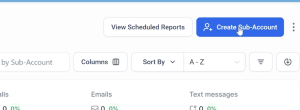
Once you are logged in into your account, you need to Create a Dedicated Sub Account.
- Click in Sub-Accounts
- Click in Create Sub-Account
- Search for the Real Estate Agent Template and Click on the Select&Continue Button.
- In the map, search for an existing Real Estate Business or Add it Manually yourself.
- Click in Add Sub Account



Once your SubAccount is created, you can go to the Subaccount and you can Configure the CRM & Pipelines
- To Manually Add a New Lead, click “Add Opportunity”

- A form will popup and you can fill the details about the lead
- You can also Import Contacts and existing leads via CSV by clicking in the Import Button